Most people looking for a QR code generator want three things: it needs to be free, it needs to work, and it should not require jumping through hoops. The problem is that many tools marketed as “free” are trials in disguise. They generate the code, then ask for a credit card before you can download it. Or they add a watermark. Or the code stops working after 14 days.
This guide covers the most widely used free QR code generators, with an honest breakdown of what each tool actually offers for free and where the limitations start.
Static vs. dynamic: what you need to know
A static QR code has the destination permanently encoded into the pattern. It cannot be changed after creation, never expires, and has no scan limits. For most everyday use cases, business cards, product packaging, flyers with a stable URL, static is exactly what you need.
A dynamic code points to a redirect URL you can update at any time without reprinting, and allows scan tracking. The catch: dynamic codes depend on the provider’s redirect server staying active, which means they almost always require a paid plan to keep working. Free dynamic tiers exist but typically come with scan caps or branding on the redirect page.
At a glance
| Tool | Logo support | Custom colors | No signup needed | No watermark | SVG export |
|---|---|---|---|---|---|
| QRCode Monkey | Yes | Yes | Yes | Yes | Yes |
| Actual Reports | Yes | Yes | Yes | Yes | No |
| ME-QR | Yes | Yes | Yes (static only) | Yes | Yes |
| QRCodeChimp | Yes | Yes | No | Yes | Paid only |
| QRStuff | Free account needed | Free account needed | Yes (limited) | Yes | Free account required |
| The QR Code Generator | Free account (dynamic only) | Yes | Yes (static only) | Yes (static only) | Paid only |
| QR TIGER | Yes | Yes | No | Yes | Free account required |
| GoQR.me | Paid service | Yes | Yes | Yes | Yes |
| Canva | No native support (manual overlay in editor) | Yes | No | Yes | Paid only |
| Adobe Express | No native support (manual overlay in editor) | Limited in QR tool, full via editor | No | Yes | Yes (QR tool only, account required) |
1. QRCode Monkey

One of the most widely used free static QR generators available. No account required, unlimited codes, with logo upload, custom colors including gradients, custom eye shapes, and download in PNG, SVG, EPS, and PDF. Vector formats make it practical for professional print production at any size.
One thing to know upfront: when you enable the “statistics and editability” option inside QRCode Monkey, it redirects you to a separate platform called QR Code Generator Pro, which is a paid product with a 14 day trial. Static codes through QRCode Monkey itself remain fully free.
Strengths: Full vector export, deep visual customization, no signup, no scan limits, no expiration
Limitations: Static codes only
Best fit for: Anyone needing print ready branded static codes without creating an account
2. Actual Reports

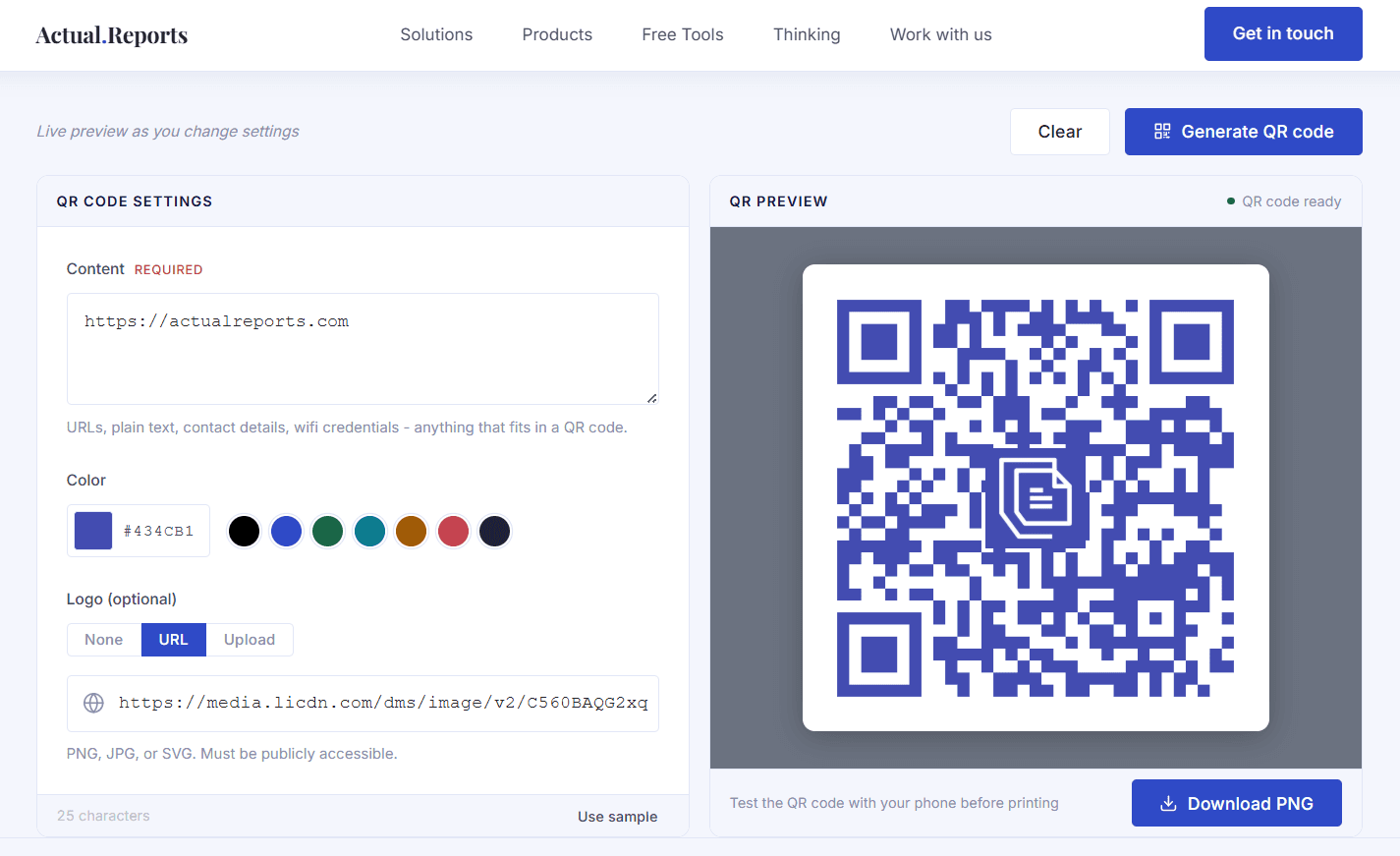
A straightforward free generator: enter a URL or text, pick a color, optionally upload a logo, and download a high resolution PNG. No account, no watermark, no expiring codes, no ads. A live preview updates in real time so the output matches exactly what you see.
Codes are static, which for most use cases is all that is needed. For teams that need to generate QR codes programmatically as part of a larger document workflow, PDF Generator API (the main product by Actual Reports) is a document automation platform that includes a dedicated QR code generation endpoint among its features. That path requires a PDF Generator API subscription.
Strengths: No account required, live preview, logo and color support, clean interface without ads
Limitations: Static codes only, PNG output only, no scan analytics
Best fit for: Quick branded static codes with no friction and no account
3. ME-QR

ME-QR stands out among free tools for the range of customization it offers without requiring an account. You can change colors, apply frames from a large selection of templates, upload a logo, and create static codes without signing up. The platform supports a wide range of content types including URLs, vCards, WiFi, social media links, and files.
Dynamic codes, which allow editing the destination after creation, require a free account. The free account includes unlimited trackable QR codes and basic analytics, but all codes display ads when scanned. Removing ads requires a paid plan, and even the entry level paid tier only removes ads on a single code. For any professional or customer facing use, this is worth factoring in before printing materials.
Strengths: Logo, color, and frame customization without signup, wide range of supported content types, dynamic codes and analytics available with a free account
Limitations: Account required for dynamic codes, ads shown on all scanned codes on the free tier and lower paid tiers
Best fit for: Personal or informal use where customization matters and the ad trade off is acceptable
4. QRCodeChimp

QRCodeChimp offers detailed visual customization beyond what most free tools provide: body pattern types, stroke width, eye frame styles, and gradient fills.
While the code preview is visible without signing up, standard downloading requires an account. Creating a free account unlocks saving, dashboard management, and a free tier with 10 dynamic QR codes capped at 1,000 scans per month total across all codes.
Strengths: Extensive visual customization, free dynamic tier available with account
Limitations: Requires signup, basic analytics only on free plan
Best fit for: Users who want design control over how the code itself looks
5. QRStuff

QRStuff supports over 20 QR code types. Without an account you can generate static codes and download them as PNG or JPG, but with no color customization or logo support. Creating a free account unlocks colors, logo upload, and additional export formats including SVG, EPS, and PDF.
The free account has meaningful limits: 5 static codes total, 10 dynamic codes that expire after 30 days and are capped at 50 scans per month. Unlimited static codes and any practical use of dynamic codes both require a paid plan starting at $10/month. The main reason to consider QRStuff is its breadth of supported code types, covering WiFi, vCard, PDF, social media platforms, payment links, and more.
Strengths: Wide range of supported code types, full styling options including SVG/EPS/PDF export with a free account
Limitations: Without account: PNG/JPG only, no color customization, no logo. Free account: only 5 static codes, dynamic codes expire after 30 days and are capped at 50 scans per month
Best fit for: Users who need a specific code type not supported elsewhere and are willing to create an account
6. The QR Code Generator

The QR Code Generator (TQRCG) is operated by Uniqode and supports unlimited free static codes without an account. Color customization is available without signing up, but logo upload is only available for dynamic codes, and downloading is limited to PNG. SVG export requires a paid plan.
Creating a free account unlocks 2 permanent dynamic QR codes. These never expire, which makes TQRCG the only tool on this list with truly permanent free dynamic codes. That said, the free account dynamic codes come with notable restrictions: ads are displayed to anyone who scans them, scan analytics are only retained for 14 days, and the codes still carry a watermark. SVG export, dynamic codes without ads, and full analytics are available from $5/month.
Strengths: Unlimited free static codes without signup, permanent free dynamic codes with a free account
Limitations: Logo only on dynamic codes, PNG only without a paid plan, free dynamic codes show ads on scan and analytics are limited to 14 days
Best fit for: Users who need quick static codes without an account, or want to test permanent dynamic codes without paying
7. QR TIGER

QR TIGER is primarily a paid platform with a free tier that covers 3 dynamic QR codes with a cap of 500 scans per code and basic analytics. An account is required to generate and download any QR code. Static codes are unlimited on the free tier, and customization including logo upload and color options is available. The platform supports a wide range of code types including URLs, WiFi, vCards, and app store links.
Worth knowing before using free tier codes on professional materials: every scan of a free QR TIGER code displays a QR TIGER branded popup. For teams whose needs grow beyond static codes into dynamic codes with analytics, scan tracking, and campaign management, QR TIGER scales well with its paid plans.
Strengths: Wide range of supported code types, logo and color customization on free tier, dynamic codes included in free tier
Limitations: Account required, free dynamic codes capped at 500 scans per code, QR TIGER branded popup shown on every free scan
Best fit for: Users who need a wide variety of code types and are considering a paid plan for dynamic codes with analytics
8. GoQR.me

GoQR.me is a minimalist free QR code generator that requires no account and generates codes without any watermark or scan limits. It supports several content types beyond URLs, including vCard, WiFi, SMS, email, and geolocation. The live preview updates as you type, and downloads are available in PNG, JPG, GIF, SVG, and EPS, all for free. Foreground and background color customization is available directly in the download dialog. All codes are cleared for commercial and print use at no cost.
Logo QR codes are available as a separate paid service where you submit your logo to their team rather than uploading it yourself in the generator. Dynamic codes are available through their QR Server platform, which requires a paid plan.
Strengths: No account needed, SVG and EPS export, multiple content types supported, live preview
Limitations: No logo upload option outside an account, no free dynamic codes
Best fit for: Quick static codes in multiple formats without an account, including print ready vector output
9. Canva

Canva’s QR generator is built into its design editor and an account is required to generate and download a QR code. The tool produces static codes with color customization available via the editor’s color picker. SVG export is not available on the free tier, and the tool supports URL codes only.
Logo embedding is not natively supported. It is technically possible to place an image over the QR code manually in the editor, but this is a workaround rather than a built in feature and may affect scannability.
Strengths: Customization via editor, integrates directly into Canva designs
Limitations: Account required, no native logo support, no SVG on free tier, no dynamic codes
Best fit for: Canva users embedding a QR code inside a larger design project
10. Adobe Express

Adobe Express includes a QR code generator as part of its broader design toolkit. An account is required to generate and download a QR code. The standalone QR tool offers a choice of 5 preset colors and SVG download. Opening the code in the full editor unlocks a proper color picker and download in PNG, JPG, and PDF. Similarly to Canva, Adobe Express does not offer native logo embedding. You can manually place an image over the center of the code in the editor, but it is worth keeping in mind that this may affect scannability.
The main use case is for people already working inside Adobe Creative Cloud who need a QR code as part of an existing design. For anyone not already in the Adobe ecosystem, dedicated free tools offer more flexibility without requiring an account.
Strengths: SVG export in standalone QR tool, customization via editor
Limitations: Account required, no native logo support, no dynamic codes
Best fit for: Adobe Creative Cloud users who need a code as part of an existing design project
Wrapping up
Choosing the right free QR code generator comes down to one simple question: what do you actually need the code to do? For most everyday use cases a free static generator is all you need, and the code will keep working indefinitely without any subscription or account. If you need dynamic codes, the options narrow quickly and it is worth reading the fine print before printing anything, since scan caps, branded redirects, and ad interstitials are common even on tools that advertise themselves as free.