PDF Generator API

Embed a Document Template Editor in Your Own Product

Every SaaS product eventually gets the same request: "can you move our logo, add a column, change the wording on the invoice?" You can keep absorbing those tickets, or you can hand your users a real editor. PDF Generator API gives you a drag-and-drop document editor that opens inside your application, scoped to that customer's own templates, from a single API call.

Test, build, and integrate. Start your 14-day FREE trial. No credit card required!

Create template, generate document, review & sign using single API.
1,500+
companies trust us

6M+
documents generated monthly

Information security

Trusted by teams featured in our case studies

One API for everything

Design, Generate, Deliver

One developer platform covers the whole path, from your customer opening the editor to a finished document leaving your application. You build against one API and one set of credentials. We run the editor, the rendering, the storage and the audit trail on infrastructure that is ISO 27001 certified and GDPR compliant.

  • AI Template Builder: Describe or upload your existing PDF or DOCX

  • Drag-and-drop editor your non-technical users can actually operate

  • Page breaks, headers and footers, dynamic tables, conditional formatting

  • Barcodes, QR codes, charts and images as first-class components

  • Expression language for calculations and data-driven logic

  • The same template renders through the generation API at any volume

Most template editors are built for your team. This one is built for your users.

Template editors usually sit in an admin panel that only your team can reach. A customer wants their delivery note changed, so they email support, support writes a ticket, a developer edits a layout file, and the change ships with the next release. The customer waited two weeks for a moved logo.

PDF Generator API inverts that. Design the starting templates once, then open the editor inside your product and let each customer adjust their own copy. Call POST /templates/{templateId}/editor and you get back a unique URL that already carries the authentication. Drop it into an iframe, or redirect the user to it. They edit, they save, and the next document your application generates uses their version.

See how it works in the live editor
editor-admin-only-queue

Stop building a template editor. It is a bigger product than you think.

A document editor looks like a week of work until you start. You need a canvas that maps to physical page sizes, page break behaviour that survives a table of unknown length, headers and footers that repeat, a data field picker, a preview that matches the printed output, and a renderer that produces the same result on every browser your customers use.

Then it never stays finished. Someone needs a second page. Someone needs a barcode. Someone needs the tax row hidden when the buyer is outside the EU. Someone needs the whole thing in German. Every one of those is a ticket against the editor you built to reduce tickets, and none of it is the product your users signed up for.

PDF Generator API gives you the editor as an API. We maintain the canvas, the components, the renderer and the browser support. You get a URL, embed it, and ship.

Read: building versus buying a document generation solution
editor-embedded-in-your-product

Ready to take control?

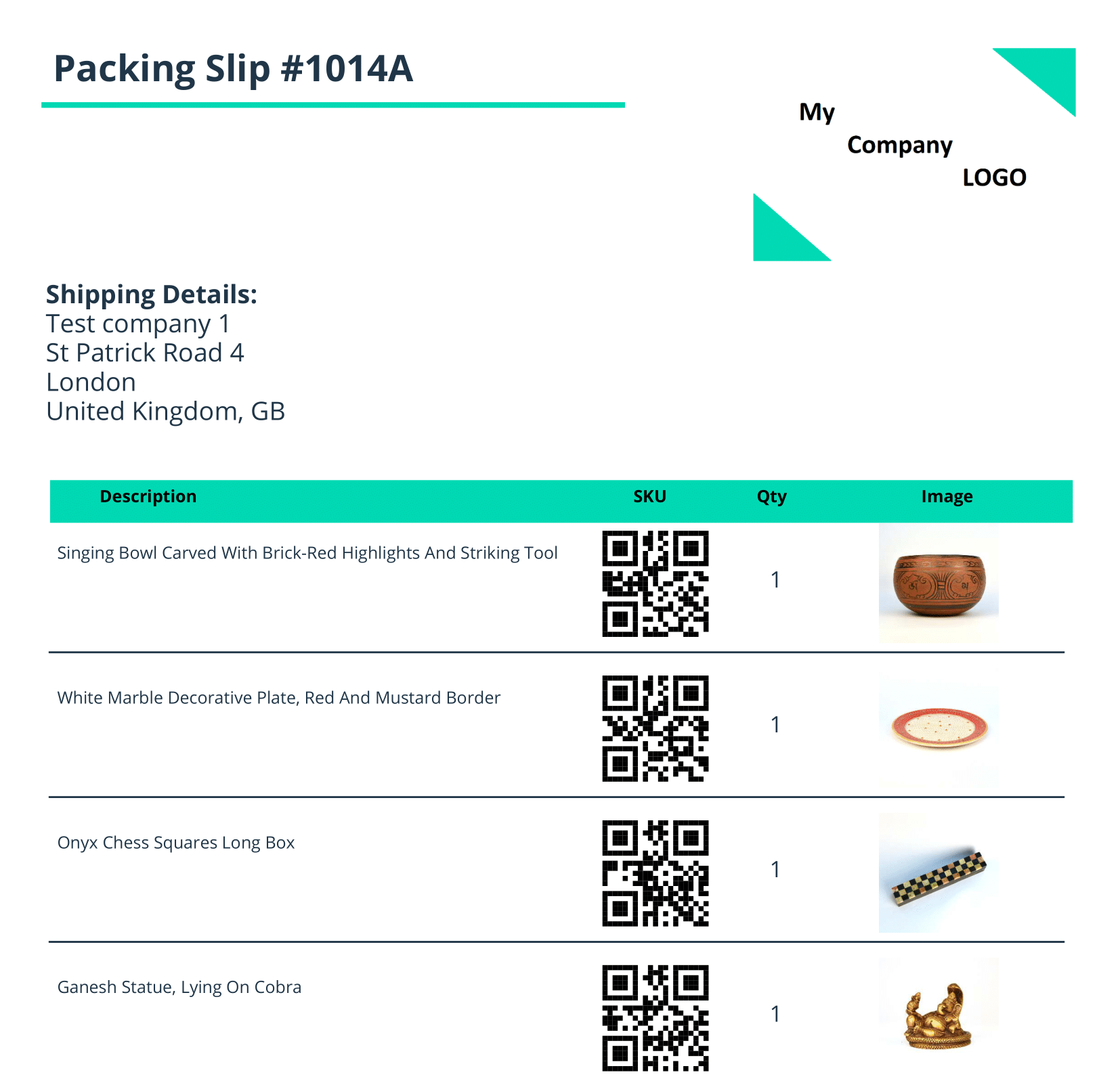
Simple Packing Slip

Our customers know better

Don’t just take our word for it

We are extremely grateful that a number of local and global companies have chosen us as their service providers. Here is what they have to say about our service.

All case studies →

★★★★★

The drag and drop builder is the main reason we switched. Our designer can now build and adjust templates directly, without touching the code.

Andreas Seierup

Andreas Seierup
Head of Development & Marketing · Firmagave

Read the story →

★★★★★

It would be really hard without this for us to build the PDF documents our clients need. It has saved us hundreds, maybe thousands of hours.

Werner Stucky

Werner Stucky
CEO · Stubber

Read the story →

★★★★★

Everything in this document is generated with PDF Generator. It works seamlessly with our CRM and automation system. That was essential for us.

Gert-Jan Bert

Gert-Jan Bert
Founder · Gandeno

Read the story →

What is an embedded template editor?

An embedded template editor is a document design interface that runs inside your product rather than inside ours. You call the Open Editor endpoint, get back a secure single-use URL, and load it in an iframe or as a redirect. Your customer arranges text, tables, images, barcodes and charts on a real page canvas, inserts data fields from their own data set, previews the result, and saves. The template belongs to that customer's workspace, so their changes affect their documents and nobody else's. When your application next calls the generation API, it renders their saved version. There is no editor UI to design, no rendering engine to maintain, and no separate account for your users to create.

Prototype your integration today with a 14-day FREE trial. No credit card required.

Talk to us before you build

Meet Michal Líška. He is our pre-sales engineer and knows our service inside out. He can answer any questions that you might have about implementing PDF Generator API or document automation in general.
Michal Liska

Questions

Before you embed it

How do I embed the editor?

Call POST /templates/{templateId}/editor and you get back a unique URL. Set it as the src of an iframe to render the editor inside your own layout, or use it as a redirect target. The URL already carries the authentication, so there are no extra parameters to append. For the iframe route, the browser has to allow third-party cookies.

Do my users need their own PDF Generator API account?

No. They work inside a workspace that belongs to your organization. Your backend signs the token that opens the editor, so there is no separate signup, no separate login, and no credentials of ours for your users to manage.

How do I keep one customer’s templates away from another’s?

Put each customer in their own workspace. A workspace has access to its own templates plus your organization default templates, and nothing else. The workspace identifier travels in the sub claim of the token you sign server-side, so the scoping is decided by your backend and never by the browser.

Can I give every new customer a starting set of templates?

Yes. Set a template’s access type to Organization under Page Setup and it becomes available to every workspace in your account. Your users find it in the New menu in the editor and copy it into their own workspace to adjust.

How do I authenticate?

Requests use a JSON Web Token as a Bearer token, signed server-side with your API key and secret. The mandatory claims are iss for your API key, sub for the workspace identifier, and exp for expiry, which should be short. The base URL for all endpoints is https://us1.pdfgeneratorapi.com/api/v4.

Can my users work in their own language?

Set language on the Open Editor request to en, et, cs, sk, ru or de. Leave it out and the editor follows your organization’s default editor language.

Can users bring a PDF they already have?

Yes. Import from PDF loads their existing file as the background of a new template with editable areas detected automatically, so they adjust a document they already use instead of rebuilding it from a blank page.

What else can I do once the template exists?

The same template and the same API cover document generation at volume, web forms, an embeddable review and sign flow, PDF/UA accessible output, e-invoicing, and PDF services like merging, watermarking and form filling.