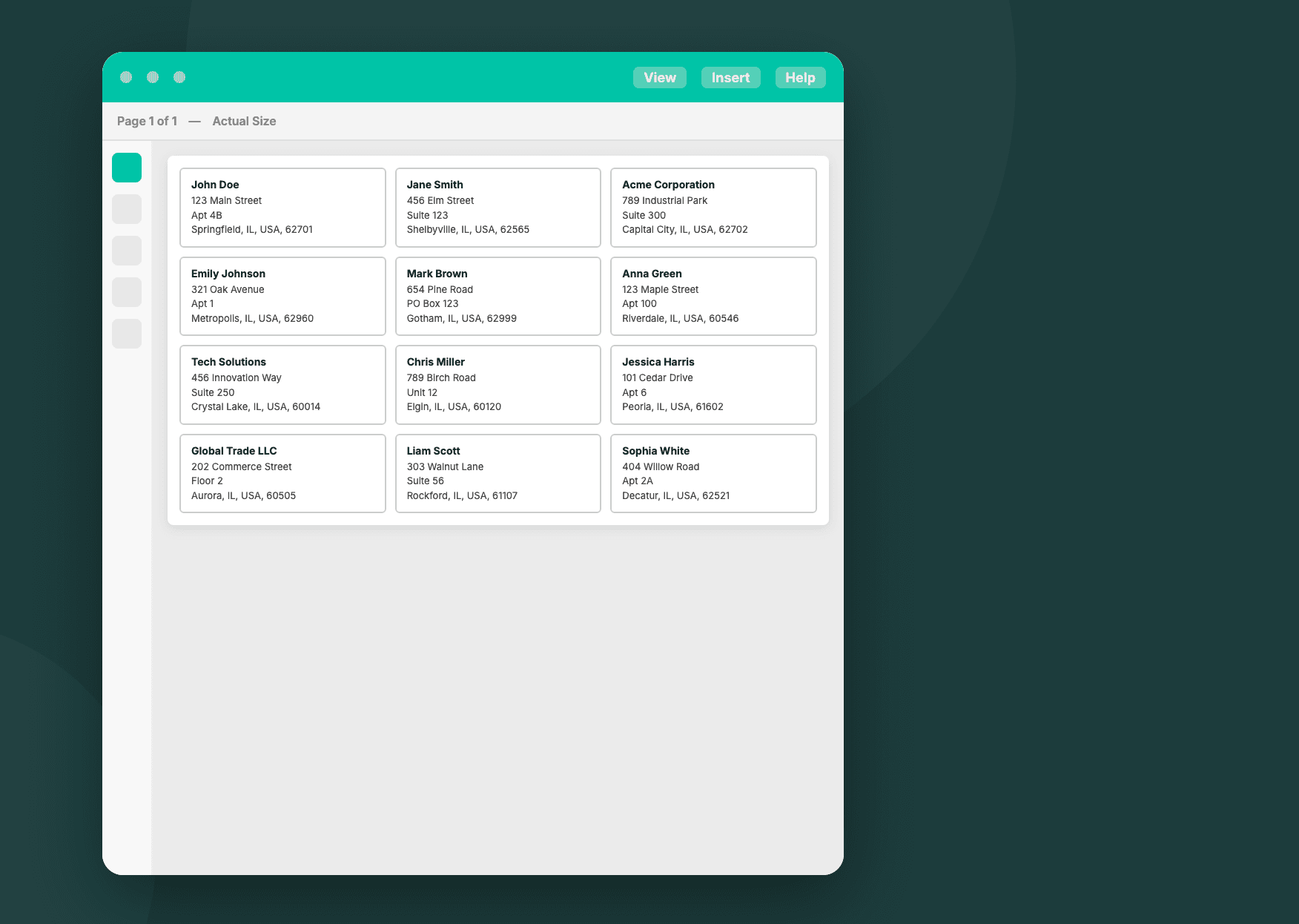
Anyone can design a single label by hand. The harder question, once a business starts scaling, is what happens at the hundredth label or the ten thousandth: does the label generator keep the layout consistent, does the barcode stay scannable, and does someone still have to sit there clicking through a design tool, or does the label just get generated the moment an order comes in.
This post compares five label generators built around that exact problem in 2026. All five go beyond one-off manual design, so the comparison covers the same things for each: how labels are actually generated, what barcode and QR code formats are supported, how data driven batch generation works, what the tool integrates with, and which businesses it fits best.
Quick Comparison: Top 5 Label Generators in 2026
| Tool | Generation Method | Barcode Types | Integrations | Best For |
|---|---|---|---|---|
| BarTender | WYSIWYG editor, database connected | 100+ linear and 2D | ERP, WMS, REST API | Manufacturing and logistics |
| NiceLabel (Loftware Cloud) | Browser based, centrally managed | Standard industrial formats | ERP, WMS, MES | Multi site regulated industries |
| PDF Generator API | API driven, drag and drop template editor | 34 types incl. GS1-128, PDF417, DataMatrix | Zapier, Make, n8n, REST API | High volume alongside invoicing and compliance documents |
| CraftMyPDF | Visual editor, JSON to REST API | 100+ types | Zapier, Make, n8n, REST API | Teams sharing one editor across document types |
| Docmosis | Word or LibreOffice templates, REST API | Code 39, Code 128, ITF-14, QR | REST API | Teams already using Word or LibreOffice for documents |
What to Look for in an Automated Label Generator
Generation method: whether labels are still designed and triggered by a person, or generated automatically from a template and incoming data.
Barcode and QR code support: which symbologies are supported, and whether codes can be bound to live data rather than typed in manually.
Data driven batch generation: whether a single template can produce many labels at once from a database, spreadsheet, or JSON feed.
Automation and integrations: what the tool connects to — an ERP, an ecommerce platform, a low code automation tool, or a REST API.
Best fit: the type of business and use case the tool is realistically built for.
1. BarTender by Seagull Scientific
BarTender is the tool most warehouses and manufacturing lines already associate with barcode labels. Labels are designed once in a WYSIWYG editor and then generated automatically from a connected database, spreadsheet, ERP, or WMS, with support for over 100 linear and 2D barcode symbologies, including QR codes. On its higher editions, a REST API lets other systems kick off a label run directly.
Where it stops short is breadth beyond the label itself. BarTender is sold as licensed editions built specifically around labeling, so it sits as its own system alongside whatever a business already uses to generate invoices, contracts, or other paperwork.

Best for: manufacturing, logistics, and warehouse operations that need industrial barcode accuracy at scale.
2. NiceLabel (Loftware Cloud)
NiceLabel, now part of Loftware and sold as Loftware Cloud, treats label generation as something managed centrally rather than set up on each workstation. Barcode labels are built in a browser based designer with a Word style interface, stored in central cloud storage, and populated with live data by connecting to ERP, WMS, and MES systems, so one template stays consistent across every location that uses it. Role based access and approval workflows control who can change a template and when that change reaches production, and Loftware states the platform is designed to comply with life science regulations including FDA UDI, EU MDR, FDA 21 CFR Part 11, and EU GMP Annex 11.
Much of that value sits in governance rather than in the label itself, which makes it heavier than a single location business with straightforward labels is likely to need.
Best for: multi site enterprises in regulated industries that need centralized, auditable control over labeling.

3. PDF Generator API
PDF Generator API combines API driven automation with label specific depth. A label template is designed once in a drag and drop web editor and then generated automatically, whether that is a single sheet of Avery compatible labels or thousands of individual labels pulled from a database or JSON, each carrying its own barcode or QR code. Barcode support runs to 34 types, including Code 128, GS1-128, EAN, and UPC, postal codes such as IMB, KIX, and RMS4CC, and pharmaceutical codes like PHARMA and PHARMA2T, alongside 2D formats such as PDF417, DataMatrix, and Aztec. Both barcodes and QR codes can be bound to data fields rather than fixed to static text. It connects to Zapier, Make, n8n, and other tools through its integrations, alongside a REST API for custom work.

The same platform can generate any other document a business runs on, with a dedicated E-Invoice API for formats like XRechnung and Factur-X or a PDF Accessibility API for accessible output, so a label tied to an order can be produced alongside that paperwork rather than through a separate system. It does expect a data source and a template set up in advance, which makes it a better fit for programmatic or high volume label generation than for producing a single label with no setup.
Best for: businesses that need labels generated alongside invoicing, contracts, or other compliance driven documents, not as a separate system.

4. CraftMyPDF
CraftMyPDF generates labels from templates built in a drag and drop web editor, so a price tag, asset label, or shipping label is laid out visually rather than in code. Its barcode and QR code component sits in that same editor and covers over 100 types, dropped onto the label and bound to a data field. Posting JSON to its REST API then generates the labels, and the same generation can be triggered from Zapier, Make, n8n, and other tools.
The breadth of barcode and QR code types is a genuine strength here. Labels sit as one use case among many, though, alongside invoices, reports, and certificates, all built in the same general purpose editor.
Best for: teams that want broad barcode and QR code coverage in a visual editor shared with their other documents.

5. Docmosis
Docmosis is a document generation engine that also covers labels, working from templates authored in Word or LibreOffice rather than a web editor. That means a label size is set as a custom page size and the layout is built with the same tools used for any other document. A barcode or QR code goes in as a named placeholder that gets replaced at generation time, covering Code 39, Code 128, and ITF-14 barcode formats plus QR codes. Sending JSON or XML to its REST API then generates the documents, including batches across many records at once.
Coverage here is narrower than the other tools in this list: a handful of common formats rather than the deep symbology range a dedicated label tool offers, and labels are one output among many rather than something the platform is built around, so changing one means editing a Word or LibreOffice file rather than working in a visual label editor.
Best for: teams that already build their business documents as Word or LibreOffice templates and want labels generated the same way.

Matching the Tool to the Job
Dedicated barcode software, centralized label governance platforms, and general purpose document APIs each solve one part of this well: industrial scale barcode accuracy, multi site labeling governance, or broad barcode and QR code coverage. Where they stop short is combining that with the rest of a business’s paperwork.
That is where PDF Generator API fits: label templates with deep barcode and QR support, generated through the same platform that can produce and keep compliant the rest of a business’s documents. Whether you need a handful of price labels or thousands of shipping labels a day, PDF Generator API turns a label template into an automated part of that workflow, data in, finished PDFs out. See pricing or start with a label template.
Frequently Asked Questions
What is the best label generator for small businesses?
For small businesses that need labels generated programmatically alongside invoices or order documents, PDF Generator API and CraftMyPDF are the most practical starting points. Both offer a visual template editor, REST API access, and integrations with tools like Zapier and Make, without the overhead of enterprise label management software.
Can I generate labels automatically from a database or spreadsheet?
Yes. All five tools on this list support some form of data driven label generation. The approach differs: BarTender and NiceLabel connect directly to a database or ERP, while PDF Generator API, CraftMyPDF, and Docmosis accept JSON or XML through a REST API, which you can feed from any data source including a spreadsheet via a tool like Zapier or Make.
What barcode formats does PDF Generator API support?
PDF Generator API supports 34 barcode and QR code types. These include common linear formats such as Code 128, GS1-128, EAN, and UPC, postal formats including IMB, KIX, and RMS4CC, pharmaceutical formats like PHARMA and PHARMA2T, and 2D formats such as PDF417, DataMatrix, and Aztec. All barcode and QR code fields can be bound to live data rather than static values.
Do I need a developer to set up an automated label generator?
It depends on the tool. BarTender and NiceLabel are designed for IT or operations teams and assume a developer or system administrator will handle the database connection. PDF Generator API and CraftMyPDF can be connected to other apps through Zapier, Make, or n8n without custom code, though a developer is needed for a direct REST API integration. Docmosis requires REST API work from the start.