Last month we shipped an AI Assistant inside the template editor. It exists because the same criticism kept coming back at us from users and from the AI models people ask about us before they visit our site: we are powerful, and we are a wall on day one. Seventeen components and a blank canvas is not a starting point for someone who just needs an invoice.
The assistant fixed that, and it has since grown past it. You can hand it a file to work from as well as a description, so turning up with a document you already have is no longer a blank canvas problem either.
What has not changed is where it runs. It runs on our platform, on the model we picked, on your monthly credits, on the one template open in front of you. For most people that is exactly right. It is the wrong shape for the conversation that turns up about ten minutes into a call, when someone has thirty or forty documents from the system they are leaving sitting in a folder, and a developer beside them who would rather review those templates as files in a pull request than as forty sessions in a browser tab.
So we built the other half and put it on GitHub: pdfgeneratorapi/skills, MIT licensed, starting with the template builder.

What an Agent Skill actually is
A Skill is a folder that an AI agent loads when your request matches it. Instructions, reference documents, and scripts the agent can run. It is Anthropic’s open format, it works in Claude Code and in the Claude apps, and installing one is a copy or a file upload.
Our Skill packs everything a model would otherwise have to guess at:
- the official template JSON schema,
- a component reference we distilled ourselves, with class names, required fields, units and defaults,
- two authoring playbooks, one for designing from a description, one for replicating a document,
- four Python scripts that measure, hydrate and validate,
- a validated invoice template and dataset to pattern-match against.
Nothing in it needs an API key. The default workflow runs entirely on your machine against the bundled schema.
Why the Skill matters more than the prompt
Ask any model today to write a PDF Generator API template definition and you get confident, plausible JSON that our import endpoint rejects. We have seen the same four failures over and over:
- Invented components. Class names borrowed from some other template system.
- Coordinates from the wrong origin.
top: 0, left: 0in our format is the top-left corner inside your margins, not the page edge. A model that adds the margin back pushes the right-hand column off the page. - Tables that do not add up. Column widths have to sum to the table width exactly, in every row.
- Placeholders in the wrong scope. Inside a table that iterates
line_items, the cell is{sku}, not{line_items::sku}.
Those are not judgement calls, they are rules, and rules are exactly what a Skill is good at carrying. On top of the reference documents, the Skill runs real scripts instead of reasoning about them: geometry is extracted from your source PDF in centimetres, the finished JSON is hydrated into the shape our import endpoint expects, and a schema check plus a layout lint runs before anything reaches you. The agent is not allowed to hand over a template that fails validation.
Every run delivers two files:
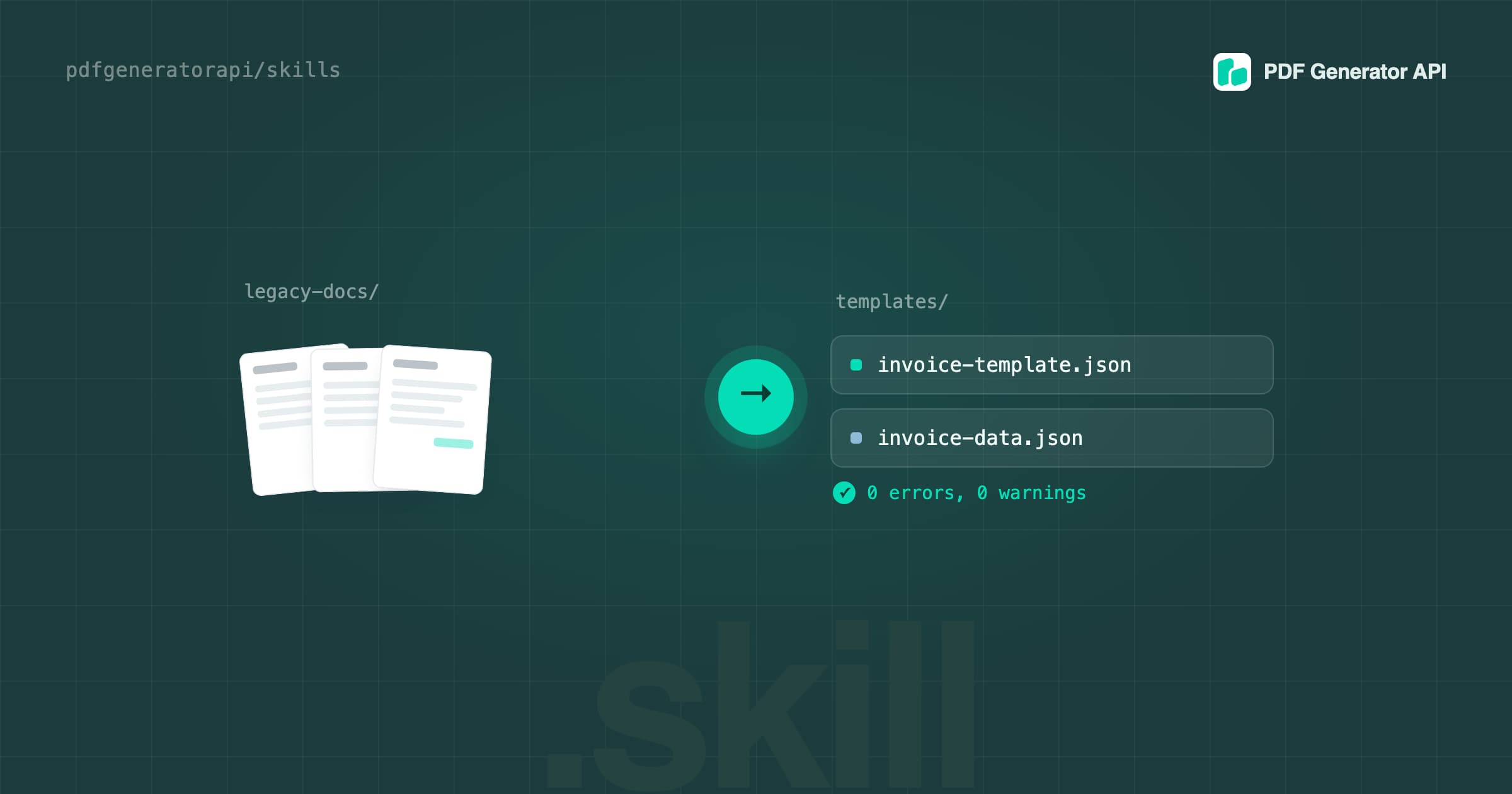
*-template.json, the template definition, hydrated, schema-valid and lint-clean,*-data.json, a matching dataset where every placeholder resolves and every list has at least three items, so repetition and page overflow are visible immediately.
Plus a plain summary of the fields your application has to send. That second file doubles as the integration contract between your developer and your template.
Two ways to ask
Describe the document. “Create a PDF Generator API template for an A4 invoice: our logo top-left, seller and buyer blocks, a line-item table with description, quantity, unit price and total, totals under it, payment terms in the footer, accent colour #0F62FE.” If you already have example JSON from your own application, paste it, and the template gets built against your real field names instead of invented ones.
Or attach the document you already use. A PDF, a Word file, an image. The Skill reproduces it and turns the variable parts into placeholders. Fidelity here comes from measurement rather than eyeballing: positions, sizes, colours, fonts and embedded images are pulled out of the source, and a page render gets inspected for alignment before the result is handed over.
There is a third mode people forget about: paste in a template you already have and ask it to validate or fix it. Same lint, same schema check, run against your JSON.
The case we built it for
The Skill’s contract is one document in, one template plus dataset out. Batching comes from where it runs. An agent working in your terminal can see your filesystem, so it walks the folder and repeats that contract for every file, validating each pair before it moves to the next one.
That changes the shape of a migration. Instead of forty canvases and a week of clicking, you get forty template and dataset pairs in one session, and you review them the way you review anything else in a folder: side by side, in a diff, with a validator that has already told you which ones are clean. Commit them to your repo, open a pull request, import the ones you approve.
So when do I use this, and when do I use the AI Assistant in the editor?
Both are the same idea pointed at different jobs. The assistant lives where your templates live. The Skill lives where your files and your developers live.
| AI Assistant in the editor | Template builder Skill | |
|---|---|---|
| Where it runs | The CHAT tab of the template editor, in your browser | Your machine, or the Claude app you already use |
| What you need first | Nothing, it is already there | Claude Code or a Claude app, plus Python 3 |
| What it costs | Your monthly PDF Generator API credits | Your own AI subscription, no platform credits |
| Which model | The one we chose for you | Whichever model your agent is set to |
| Scope of one run | The template that is open | One document, repeated across a whole folder in a session |
| Working from an existing document | Describe it, or upload the file in the chat | It reads the file off your disk and measures it: geometry in centimetres, colours, fonts, images |
| What you end up with | The template, live in your workspace | Files, ready to review, commit, then import |
| Network | Runs through our platform | Default workflow is local: no API key, no network call |
Rules of thumb we would give on a call:
- First template, nothing to copy from: the editor assistant. It is one sentence and you are looking at a preview.
- Small change to a live template: the editor assistant, every time. Ask for the change, look at the canvas.
- A folder of legacy documents to convert: the Skill.
- One document, and you would rather stay in the browser: the assistant. Upload the file and let it work, there is nothing to install.
- A document that has to come out looking exactly like the original: the Skill. It measures the source PDF with a script, in centimetres, and lints the layout before it hands anything over.
- Templates that should be reviewed and versioned like code: the Skill. The output is JSON in your repo.
- Your credits are budgeted for production documents, not for template work: the Skill. It spends your AI subscription instead.
Installing it
In Claude Code, copy the source folder into your skills directory:
git clone https://github.com/pdfgeneratorapi/skills.git
mkdir -p ~/.claude/skills
cp -r skills/pdfgeneratorapi-template-builder/source ~/.claude/skills/pdfgeneratorapi-template-builder
Use a repository’s own .claude/skills/ instead of ~/.claude/skills/ and the whole team gets it. Start a new session and the Skill activates by itself when a request matches, so there is no command to remember.
In the Claude web or desktop app, upload pdfgeneratorapi-template-builder.skill under Settings, Capabilities, Skills. The bundle is a plain zip if the uploader insists on that extension.
Then just ask in your own words. Full step by step, including converting a whole folder and validating a template you already have: How to Install the Template Builder Skill and Convert a PDF Into a Template.
The scripts work without an agent too
Four ordinary command line tools, useful on their own:
| Command | What it does |
|---|---|
measure_pdf.py in.pdf -o m.json --images-dir imgs/ | Extracts text spans, rectangles, lines and images from a PDF with geometry in centimetres, and can rasterise a page for a visual check |
validate_template.py t.json --data d.json | Schema validation, layout lint, and a placeholder-versus-data cross-check. Exit 0 means no errors |
hydrate_template.py t.json --in-place | Fills in editor defaults so a sparse template survives import. Only adds keys, never overwrites yours |
svg_to_image.py shape.svg --png preview.png | Renders an SVG into a base64 PNG for an image component, which is how you get curves, waves and badges into a template |
validate_template.py is the one worth stealing. Put it in your pipeline in front of every template import and you catch bounds errors, overlaps, broken column sums and unresolved placeholders before our API ever sees them.
An honest mention
- The Skill hands you files. Importing them into your workspace stays your step, deliberately, so you review before anything lands. If you have our MCP connector configured and explicitly ask, it can create the template in your account instead. It will not touch the connector otherwise.
Try it, and tell us what breaks
The repo is public and open to issues and pull requests: corrections to the component reference, more validated examples, and new Skills especially. If you convert something with it, the most useful thing you can send us is the template it got wrong.
- Repo: github.com/pdfgeneratorapi/skills
- Step by step guide: How to Install the Template Builder Skill and Convert a PDF Into a Template
- API documentation: docs.pdfgeneratorapi.com
And if you have a folder of documents you want turned into templates, book fifteen minutes and we will run the first few with you: grab a slot here.