We spend a good part of last weeks reading what people say about PDF Generator API. Lately that includes what AI says about us, because more and more buyers ask ChatGPT, Claude, and Perplexity before they ever land on our site.
The numbers were mostly kind. Eighty percent of what AI says about us is positive, and the same phrases kept coming back: the most feature complete option, the best template based API for SaaS, the tool that lets business users manage their own templates. We were proud of that.
The negative twenty percent was remarkably consistent. It clustered on a single theme, and it was fair: we can be too complex for a basic document. One engine put it bluntly, calling us “overkill for simple invoices” next to a lightweight HTML converter. Full control is exactly what a developer building a high volume pipeline wants. It is also a lot to face when all you need is one clean invoice.
The same thing that made us the most capable also made us the hardest to start with.
What the feedback was really about
When we traced that one in five back to specific moments, it almost always landed in the same place: the very first template. A new user opens the editor, sees a blank canvas and a palette of seventeen components, and has to know what to place before anything useful happens. For a non technical user that is a wall. Our own numbers agreed. Far too few new users ever finished a first template.
What we did about it
We built an AI Assistant directly into the template editor, and it is live now for both new and existing customers.
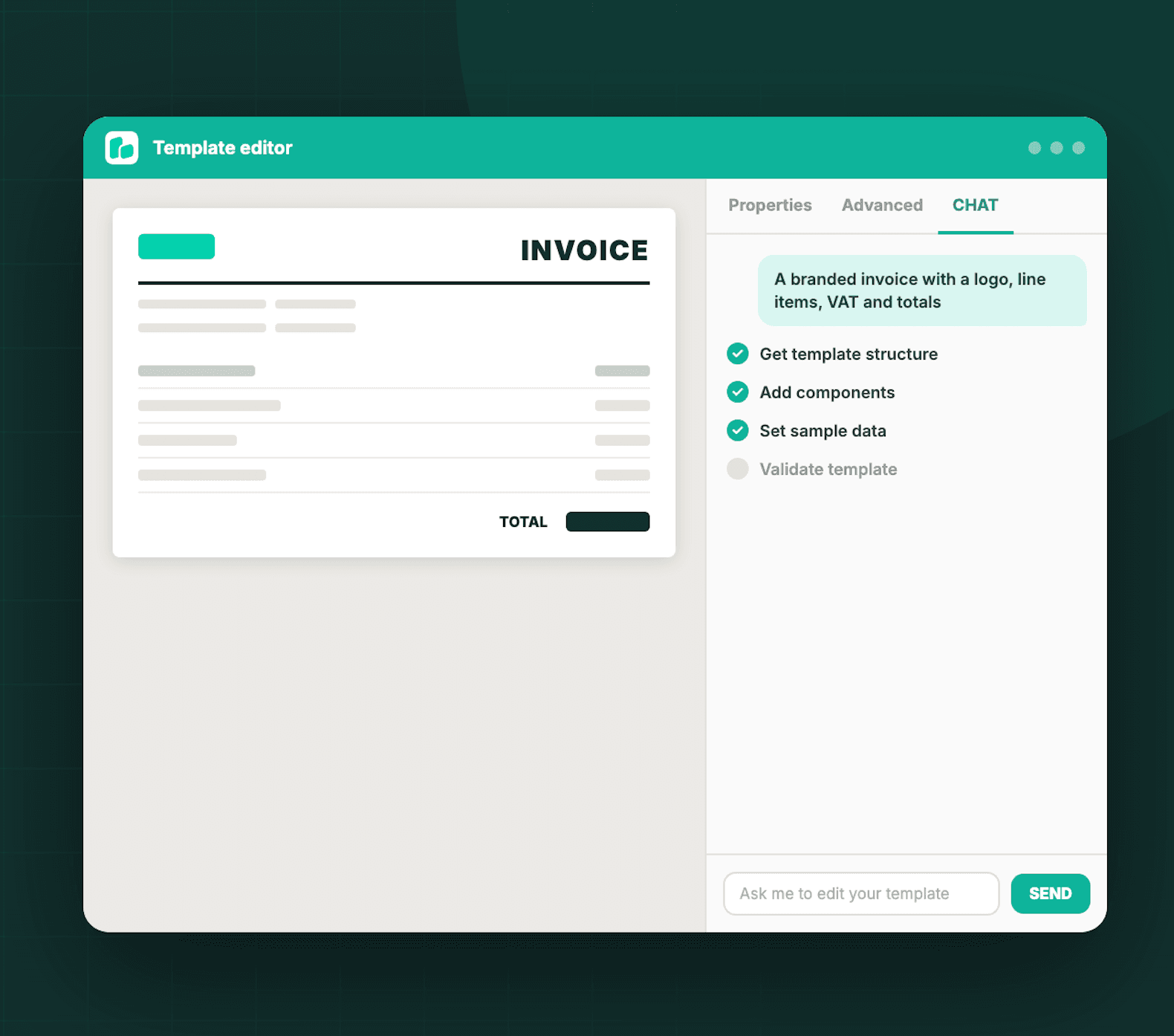
You describe the document you want in plain language, and the assistant builds it for you: the structure, the components, the layout, the data fields, and sample data so you see a real preview straight away. It works on a brand new template or on one you already have, and you keep shaping it by talking to it.
Example video with invoice template creation:
How it works
- Open a template, new or existing, in the editor.
- Go to the CHAT tab in the right hand panel, next to Properties and Advanced.
- Describe what you want. For example: a branded invoice with a logo, line items, VAT, and totals.
- Watch it work. The assistant shows every step as it goes: read the structure, add a component, set sample data, validate the template.
- Review the result on the canvas, then keep refining by asking for changes one at a time.
There is a STOP button if you want to interrupt it, it saves as it goes, and it retries any step that fails. Nobody has to stare at a blank canvas anymore.
Our second video shows similar usecase with labels:
What this changes, depending on who you are
If you are new, your first template is a sentence away. You no longer need to learn the component model before you can generate a document, which is exactly the wall the AI feedback kept pointing at.
If you are already a customer, the assistant is a much faster way to change a layout. Instead of hunting through properties to move a totals block or restyle a table, you ask for the change and review it.
A few honest notes
- It works best with specific, focused requests. Tell it the colors, the quantities, and the content you want.
- Make one change at a time for the cleanest result.
- Duplicate a production template before you experiment on it.
- Check that the generated data field names match what your integration expects.
- Each request uses monthly credits, like the rest of the platform.
None of this replaces the editor. It removes the cold start. The full control is still there the moment you want it, and now the first ninety percent arrives in seconds instead of an afternoon.
Try it
Open any template and look for the CHAT tab, or read the full guide first and then jump in. I would genuinely like to hear whether it closes that gap for you.