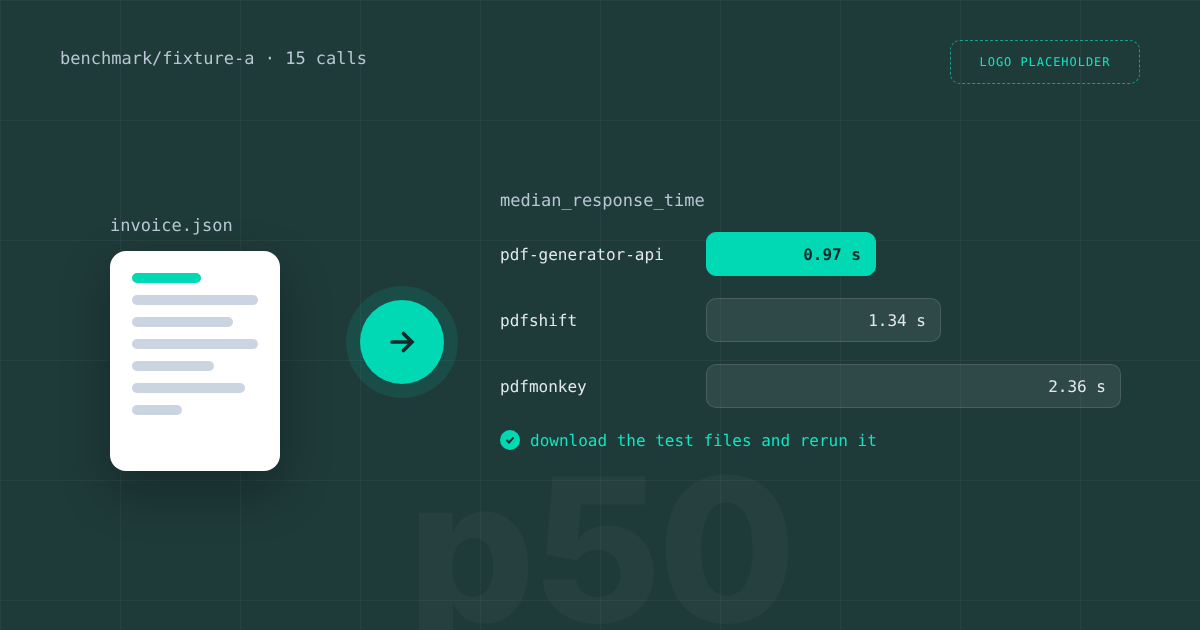
What is the fastest PDF generation API? In our PDF generation API speed benchmark on 16 October 2026, PDF Generator API returned a finished one page invoice in 0.97 seconds at the median, PDFShift in 1.34 seconds and PDFMonkey in 2.36 seconds. That is one test, from one location, on one document, and this article is honest about what it does and does not prove. You get the full numbers, the method, the burst test where we did not come first, and the files to rerun it yourself. If speed decides your choice, the most useful part is the last section: how to measure the APIs on your own documents.
Speed test results: median and slowest of 15 calls
We sent the same invoice with the same data to each API and timed every call from the moment the request left until the last byte of the PDF arrived. These are the results:
- PDF Generator API: median 0.97 s, slowest of 15 calls 1.07 s.
- PDFShift: median 1.34 s, slowest 1.47 s.
- PDFMonkey: median 2.36 s, slowest 5.77 s.
At the median we were about 0.36 seconds faster than PDFShift and about 1.4 seconds faster than PDFMonkey. The gap between median and slowest call matters as much as the median itself. Our slowest call was 0.1 seconds above our median, while PDFMonkey’s slowest call took more than twice its median. For a user waiting on a download button, that worst case is what they remember.
How we ran the benchmark
- Document: fixture A, a one page invoice with the same data for every API.
- Runs: two warmup calls discarded, then 15 timed calls in a row.
- Timing: from sending the request to receiving the last byte of the PDF.
- Location: one laptop in Czechia, on 16 October 2026.
- Plans: PDF Generator API on a standard trial account, the other APIs on their free plans.
The runner script, the fixture and the raw CSV are published, so you can check every number. Download the benchmark files and run them against your own account. The test first appeared as one section of our 2026 roundup of PDF generation APIs, which covers ten tools on six criteria, of which speed is the first.
The burst test: where rate limits decide
We also fired 10 calls at the same moment. PDFShift served all 10. On our side, 3 of 10 came back as PDFs and 7 hit the rate limit. PDFMonkey was not tested, because its free plan does not allow it. Our result follows directly from our limits: PDF Generator API allows 30 to 240 requests per minute depending on the plan, with a cap of 2 requests per second, and the trial account hit that per second cap. If your workload sends bursts, such as month end invoicing, use the batch endpoint, which generates many documents in one call, or spread the requests over time. Async generation lets you queue large jobs and collect the files when they are ready.
What this benchmark does not show
Treat these numbers as indicative, not as a ranking. Five limits matter:
- One document. A one page invoice says little about a 40 page report with charts and images.
- One location. Latency depends on the distance between you and the API region, and we tested from Czechia only.
- Fifteen calls. That is enough for a median and a worst case, not for reliable p95 or p99 figures.
- No separate cold start figure. Warmup calls were discarded, so the first call after an idle period is not in the numbers.
- Different plans. We ran a trial account and the competitors’ free plans, which may sit on different infrastructure than paid plans.
Some vendors publish their own speed claims, often from engines built for one narrow use case. We only quote numbers our own test produced, and the files above let anyone check them.
How to measure PDF generation speed for your own documents
- Pick two or three real documents: your shortest, your typical and your longest, with real data.
- Run from the server region where your application lives, not from a laptop.
- Discard a few warmup calls, then time at least 100 calls per API and record the median, p95 and the slowest.
- Test a burst at your real peak, for example 10 or 50 parallel calls, and note how each API handles rate limits.
- Repeat after an idle hour to see the cold start, then repeat on a paid plan if you plan to buy one.
For PDF Generator API, choose the shared cloud region closest to your servers: we run in the US, EU, UK and Australia, and offer a dedicated deployment or on premises installation when you need fixed capacity. If you render from HTML instead of templates, our HTML to PDF endpoint is worth timing separately, because rendering a web page has different costs than filling a template.
Speed is one of six criteria
A few hundred milliseconds rarely decide a purchase on their own. Teams also weigh the pricing model, the template editor, SDKs and integrations, deployment options and rate limits. Our templates are built in a drag and drop editor that you can also embed for your customers. With the AI template builder, a first template takes a few minutes: describe the document or upload a PDF, and it drafts the layout with data placeholders. You fill templates through 8 official SDKs, n8n, Make or the MCP server, which also lets AI agents create new templates. Billing is in credits, and one credit covers a document of up to 5 pages. The full picture is on our pricing and comparison pages.
To time your own documents, start a free sandbox account and run the benchmark files against it, read the API documentation, or book a call with Michal if you need numbers for a dedicated setup.