Build your document layout and branding in the drag-and-drop editor, then let each Kintone fill it with live data. Use smart components for tables, images, and barcodes, and the expression language to format numbers and dates, group line items, and sort lists, so your PDFs stay data-driven without extra logic in your workflow.
PDF Generator API
Generate Branded PDFs from Any Kintone Record
Your data already lives in Kintone. Design your document templates in a drag-and-drop editor, then produce branded quotes, invoices, delivery slips and reports straight from the records your team works in every day. No browser print dialog, no re-keying into Excel.
You can use the free account for 14 days to evaluate and integrate the API.


1,500+
companies trust us
6M+
documents generated monthly
4.5★
Information security
Trusted by teams featured in our case studies


Design Templates Once, Populate Them Automatically
Three ways a document gets made
One click, two hundred at once, or nobody clicks anything
The plugin sits on the app you already built. Where the document comes from is a setting, not a project.
One record, one click
A button on the record, labelled whatever you want it labelled. Pick a template, click, and the document is attached back to the record or downloaded.
Every generation is logged to a field on the record with the time, the record revision, the template and what produced it. A full audit trail without anyone maintaining one.
Documents
invoice-4.pdf 86 KB
Generation log
2026-08-19T08:42:22.858Z rev 11
Construction Invoice (Teal/Yellow) (1660868)
Generated from the record button
→ Attached to the “Documents” field
Construction Invoice (Teal/Yellow) (1660868)
Generated from the record button
→ Attached to the “Documents” field
A whole list at once
Select records in any list view and generate in batch. Either one document per record attached to each, or a single document that lists every selected record as a row.
This is the specific thing native Kintone printing cannot do. Up to 200 records in one run, and the limit is yours to set.
| Company | Status | Total | |
|---|---|---|---|
| Radnom Inc | PO Confirmed | 9 287.23 | |
| Nordmark Logistics OÜ | PO Confirmed | 4 118.00 | |
| Vahtra Ehitus AS | Shipped | 12 640.50 | |
| Kesklinna Kaubandus | Draft | 780.00 |
Output type
One document per recordEach selected record produces its own document, attached to that record.
One document listing all recordsOne document is generated from all of them, one row per record. It downloads.
Select all (up to 50) · batch limit 1 to 200
No click at all
Automation rules generate documents on record events. A rule waits for a record to be created, edited, or moved into a particular status in your process flow, checks any conditions you set against any field in the app, and then delivers.
Attach the document to the record, POST it to an external URL, or both. Different statuses can generate different templates from the same app.
Rules run when someone acts on the record, so this is event-driven generation rather than an overnight batch job.
When
A status transition happensAction button ShipResulting status Shipped
Only if
ALL of these are true
order_total is greater than 500country is one of EE, LV, LTinvoice_sentis empty
Template
Delivery slip with QRFile name
slip-{record_no}Then
Store on the record. Attach to Documents, mode Append.
POST to
https://erp.example.com/docs/{record_no}, base64 in the body, bearer token from the plugin proxy.Design the document without leaving Kintone
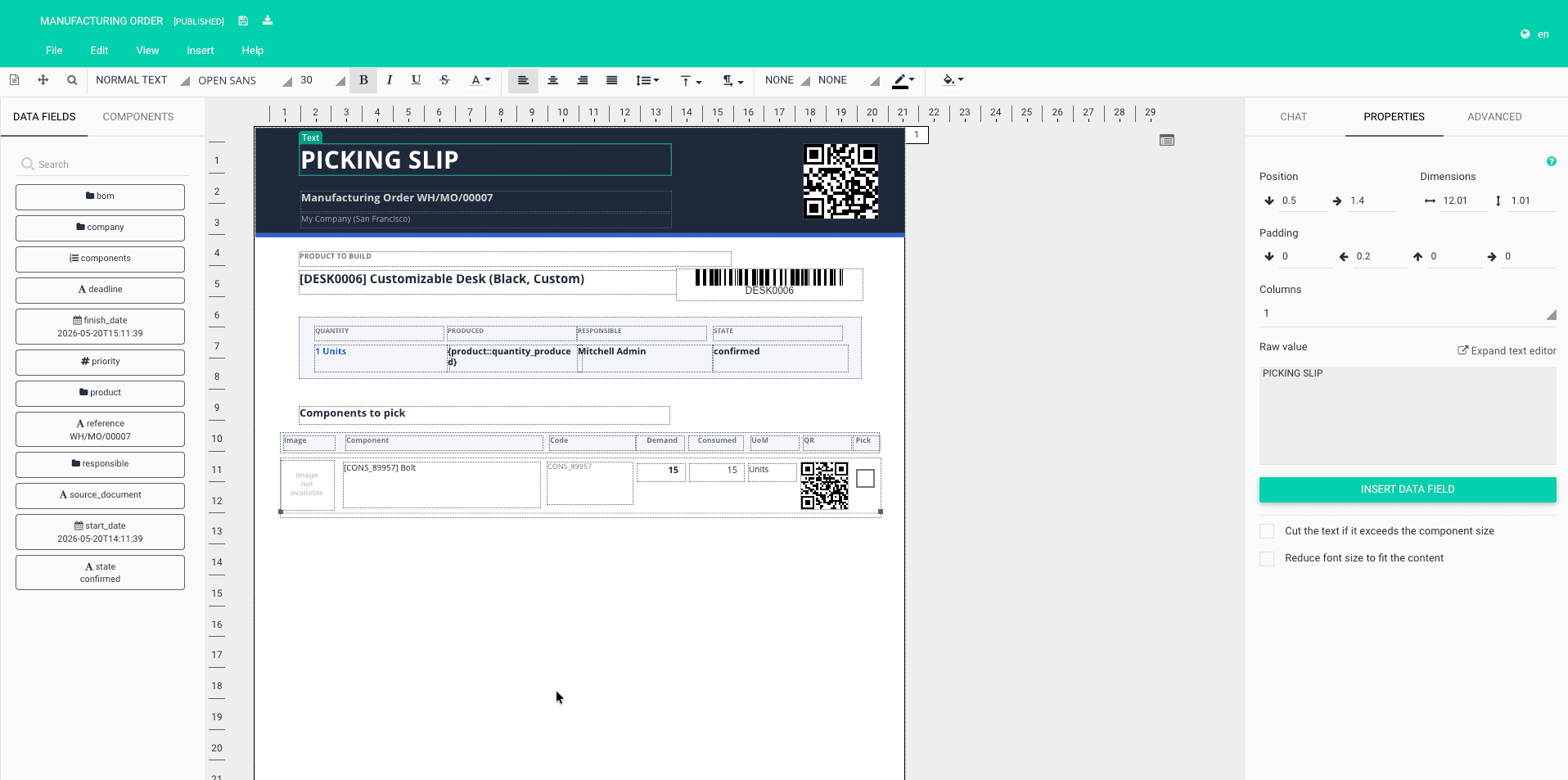
Open the template editor from the record you are looking at. It arrives already filled with that record’s real values, so you are placing your actual customer name and your actual order total, not a placeholder you have to imagine. The people who own how the invoice looks are usually not the people who write code. This puts the document back in their hands.
Generate Branded PDFs from Any Kintone Record
Your data already lives in Kintone. Design your document templates in a drag-and-drop editor, then produce branded quotes, invoices, delivery slips and reports straight from the records your team works in every day. No browser print dialog, no re-keying into Excel.
Why teams choose us
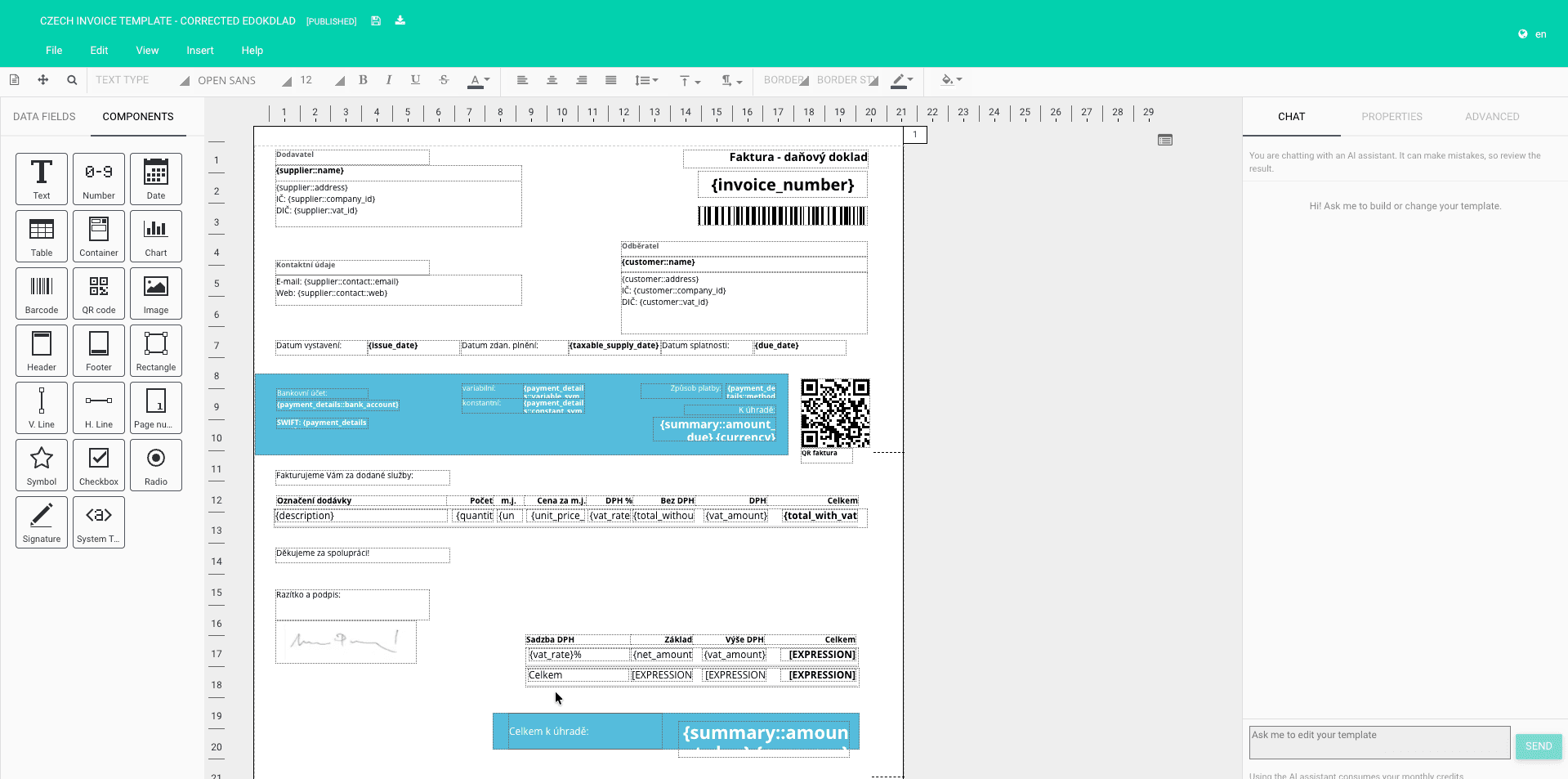
Kintone already runs your processes. We make its documents match. Instead of printing the on-screen field layout from your browser and fixing the formatting in Excel, your team designs in a visual editor and generates straight from any record. Here's what you get with our Kintone integration:
Templates reflow with your data, not text pinned on a fixed image
No code, no XML, no developer, no mapping file to maintain
Up to 200 records in one batch run from a list view
Every generation logged to the record, audit trail included
Data security, backed by best practices
Different statuses generate different templates from one app
Questions
Before you book the call
How do I get the plugin?
Book a call and we will set it up with you. It takes about fifteen minutes. If you would rather not talk to anyone, the Make, n8n and Zapier route is fully self-serve.
Does this work with Kintone’s own plugins and REST API?
Yes. The connector follows the standard Kintone plugin pattern, a button on the record that reads the record’s data and calls our generation API. If you would rather drive it from outside Kintone, the REST API and webhooks give you the same data.
Can I generate documents for many records at once?
Yes. Select records in a list view and generate up to 200 in one run, either one document per record or a single document listing them all. This is the specific thing native Kintone printing cannot do.
Can documents generate themselves when a record changes?
Yes. Automation rules watch for a record being created, edited, or moved into a status in your process flow, check conditions against any field, then attach the document to the record or POST it to a system of yours. The rules run when someone acts on the record, so this is event-driven generation rather than an overnight batch job.
Is the product available in Japanese?
The editor, documentation and support are in English today. The documents themselves are not limited that way, you can build templates in Japanese or any other language, including the layouts Japanese business documents expect.
Do you include electronic signatures?
No. We generate the document, and we work alongside whichever signing tool you already use. If a legally compliant signature flow inside Kintone is the main thing you need, a signing-first vendor will serve you better on that specific point.
What does it cost?
Plans start at 8 euro per month. Kintone itself is billed separately by Cybozu.
Where is my data processed?
In the EU or the US, your choice of region. Documents can be generated without being stored on our side at all, and every request is authenticated with a short-lived token scoped to a single workspace.
Stop rebuilding Kintone data in Excel just to send a document.
Design the template once, generate it from the record, and let your team keep working where they already work.
Free for 14 days. No card, and the call is a setup call, not a pitch.